

Don’t have any programming skills but have a great idea for a web application? There’s help around the corner in the form of no-code software development. There are also plenty of open source platforms you can choose from to help with no-code development. The best ones are listed here.
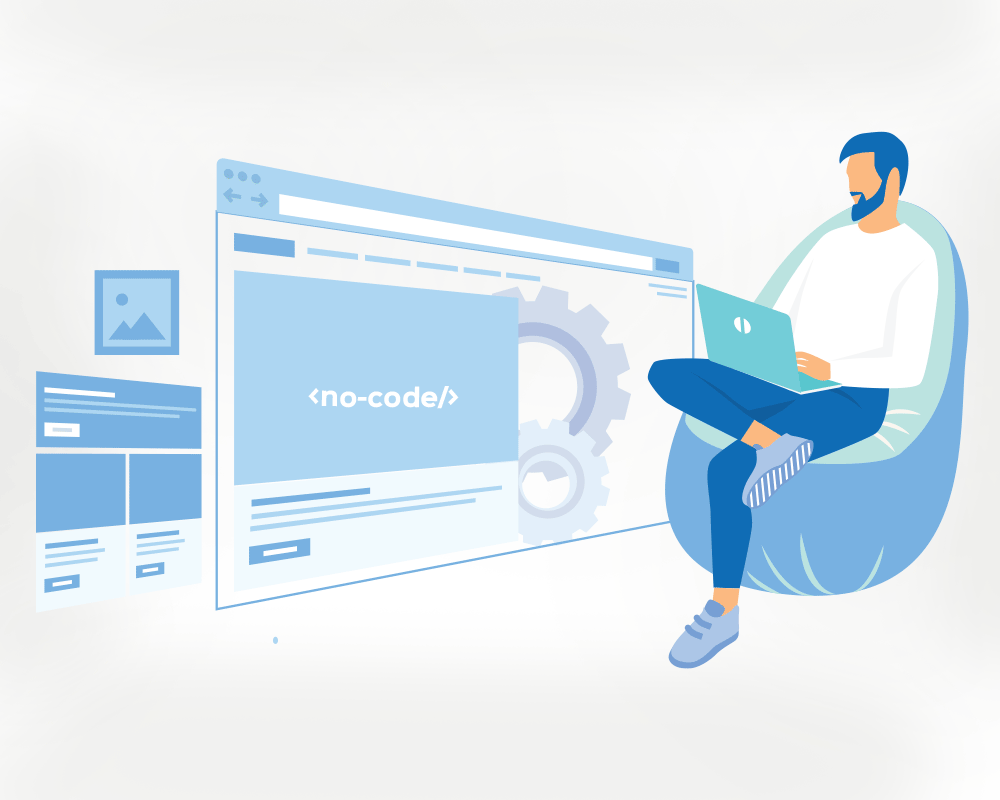
No-code development is a way for people to create software without needing to write any code. Imagine you want to build an application but don’t know how to program. With no-code platforms, you can still create your application using simple, visual tools. These platforms provide everything you need, like drag-and-drop elements and pre-made components, which means you can design and build software just by arranging these pieces together.
Think of it like building with LEGO bricks. You don’t need to create the bricks yourself; you just put them together to form whatever you imagine. No-code development works similarly. You don’t have to worry about the complex coding part. Instead, you focus on how you want your application to look and function. This makes it much easier for people without technical skills to bring their ideas to life and develop software quickly and efficiently.
What is no-code development?
No-code development is all about using platforms that let you create applications by simply dragging and dropping elements. These platforms come with all the tools and components you need, so there’s no need to write any code at all. For example, if you want to add a button to your application, you just drag the button element to your workspace. Need a form for user input? Just drag a form component. It’s as simple as that. Because of this intuitive, visual approach, you can put together a functional application much more quickly than if you were writing code from scratch.
This method is really helpful for people who may not have a background in programming but still want to create software. It removes the complexity of coding and allows you to focus on the design and functionality of your application. This way, more people can get involved in developing software, and projects can move from idea to reality much faster.
Benefits of no-code platforms
No-code platforms offer several benefits.
Speed: With no-code platforms, you can build applications much faster than if you were writing code from scratch. Instead of spending hours or even days coding, you can use pre-built components to quickly put together your application.
Accessibility: No-code platforms make it possible for people without any coding skills to create software. This means that more people can bring their ideas to life, whether they are small business owners, educators, or hobbyists.
Cost-effective: Using no-code platforms can save money because you don’t need to hire specialised developers. Since the tools are easy to use, you can do most of the work yourself or with a small team, reducing labour costs.
Flexibility: These platforms make it easy to make changes and updates to your applications. If you need to add a new feature or tweak an existing one, you can do it quickly and without having to dive into complex code. This is especially useful for keeping your application up to date and responsive to user feedback.
Open source no-code platforms are important because they provide transparency and flexibility. Users can see the source code, modify it, and share their improvements with the community. This leads to more secure, customisable, and reliable software.
Criteria for selecting the best no-code platforms
When choosing a no-code platform, consider the following.
Usability: Usability refers to how easy it is to use the platform. A user-friendly platform has an intuitive interface, clear instructions, and helpful tutorials. This means that even those with little to no technical background can navigate the platform and build applications without much difficulty.
Customisability: Customisability is the ability to modify and extend the platform to meet your specific needs. A highly customisable platform allows you to tweak its features, add new components, and adjust the design to better fit your project. This flexibility is crucial for creating applications that perfectly align with your requirements.
Community support: Community support involves the availability of a supportive community that can help with issues and share knowledge. A strong community provides forums, user groups, and resources where you can ask questions, find solutions, and learn from others’ experiences. This support network is invaluable for troubleshooting and improving your projects.
Integration capabilities: Integration capabilities refer to how well the platform can connect with other tools and systems. A good no-code platform should seamlessly integrate with various databases, APIs, and third-party services. This ensures that your application can interact with other software and systems, making it more powerful and versatile.
Cost and licensing: Cost and licensing involve the financial aspects of using the platform and the type of licensing it offers. Some platforms are free and open source, while others may require a subscription or one-time fee. Understanding the cost structure and licensing terms helps you determine whether the platform fits within your budget and complies with your usage requirements.
|
Feature comparison table To help you choose the best no-code open source platform, here is a comparison table highlighting the key features of each platform. |
|||||
| Platform | Usability | Customisability | Community support | Integration capabilities | Cost and licensing |
|
Appsmith |
High |
Medium |
High |
Medium |
Free/Open source |
|
Budibase |
High |
High |
Medium |
Medium |
Free/Open source |
|
NocoDB |
High |
Medium |
Medium |
High |
Free/Open source |
|
Retool |
Medium |
High |
High |
High |
Paid, with free tier |
|
Joget |
Medium |
High |
Medium |
Medium |
Free/Open source |
|
Directus |
Medium |
High |
High |
High |
Free/Open source |
|
OutSystems |
Medium |
High |
High |
High |
Paid |
|
Mendix |
Medium |
High |
High |
High |
Paid |
|
Corteza |
Medium |
High |
Medium |
Medium |
Free/Open source |
|
Internal.io |
High |
Medium |
Medium |
High |
Paid, with free tier |
Top no-code open source platforms
Appsmith
URL: https://www.appsmith.com/
- Overview: Appsmith is an open source platform for building internal tools quickly.
- Features: Drag-and-drop interface, ready-made widgets, API integrations.
- Pros: Easy to use, good documentation, active community.
- Cons: Limited customisation options; performance can lag with complex apps.
- Use cases: Internal dashboards, admin panels, reporting tools.
Budibase
URL: https://budibase.com/
- Overview: Budibase allows users to build business applications without coding.
- Features: Automation tools, customisable components, database integration.
- Pros: User-friendly, open source, good for rapid prototyping.
- Cons: Fewer integrations compared to others, smaller community.
- Use cases: Business apps, internal tools, data management.
NocoDB
URL: https://nocodb.com/
- Overview: NocoDB turns databases into smart spreadsheets.
- Features: Spreadsheet interface, database connectors, automation.
- Pros: Easy database management; supports various databases.
- Cons: Limited advanced features; requires basic database knowledge.
- Use cases: Data visualisation, database management, team collaboration.
Retool
URL: https://retool.com/
- Overview: Retool helps build internal tools fast.
- Features: Drag-and-drop building, pre-built components, API integrations.
- Pros: Powerful integrations, customisable UI.
- Cons: Steeper learning curve, higher cost for advanced features.
- Use cases: Admin panels, dashboards, internal tools.
Joget
URL: https://www.joget.org/
- Overview: Joget is an open source platform for developing enterprise web apps.
- Features: Visual development, process automation, cloud support.
- Pros: Enterprise-level features, highly customisable.
- Cons: Complex setup; may require technical knowledge.
- Use cases: Business process management, enterprise applications, workflow automation.
Directus
URL: https://directus.io/
- Overview: Directus is an open source tool for managing database content.
- Features: Headless CMS, API-first, role-based access.
- Pros: Flexible; supports various databases, strong API.
- Cons: Not a full no-code platform; requires database setup.
- Use cases: Content management, database management, backend for apps.
OutSystems
URL: https://www.outsystems.com/
- Overview: OutSystems is a low-code platform for enterprise-grade applications.
- Features: Full-stack development, AI assistance, cloud deployment.
- Pros: Robust features, good scalability.
- Cons: Higher cost, more complex than pure no-code.
- Use cases: Enterprise applications, complex workflows, mobile apps.
Mendix
URL: https://www.mendix.com/
- Overview: Mendix is a low-code platform that supports no-code development.
- Features: Visual development, reusable components, cloud integration.
- Pros: Strong support, flexible deployment.
- Cons: Can be costly, may require some coding for complex apps.
- Use cases: Enterprise applications, rapid prototyping, mobile and web apps.
Corteza
URL: https://cortezaproject.org/
- Overview: Corteza is an open source platform for building business applications.
- Features: Workflow automation, CRM, customisable modules.
- Pros: Open source, community-driven, flexible.
- Cons: Smaller community, less polished interface.
- Use cases: CRM, business process management, custom business apps.
Internal.io
URL: https://internal.io/
- Overview: Internal.io is a platform for building internal tools quickly.
- Features: Pre-built templates, API integrations, user permissions.
- Pros: Easy to use, fast setup, good integrations.
- Cons: Limited to internal tools, not suitable for public-facing apps.
- Use cases: Internal dashboards, admin tools, data management.
By choosing the right no-code open source platform, businesses can streamline their development processes, reduce costs, and empower non-technical users to create functional applications.
Performance and scalability
Appsmith: Generally performs well for small to medium projects. May lag with very complex applications.
Budibase: Good performance with scalable options and is suitable for most business applications.
NocoDB: Efficient for data-heavy applications but might need optimisation for large datasets.
Retool: High performance and scalability; especially suited for enterprise applications.
Joget: Scalable for enterprise use but may require technical expertise for optimal performance.
Directus: Performs well with robust scalability, especially in content management.
OutSystems: Excellent performance and scalability; ideal for enterprise-grade applications.
Mendix: High scalability and performance; suitable for both small and large-scale applications.
Corteza: Good performance; scalable for business processes, but less polished.
Internal.io: Reliable performance for internal tools with good scalability.
Community and support
Appsmith: Active community and extensive documentation.
Budibase: Growing community with good support resources.
NocoDB: Medium-sized community with adequate support.
Retool: Strong community and support, especially for enterprise users.
Joget: Active community with good resources for enterprise users.
Directus: Strong community and comprehensive support.
OutSystems: Excellent support with a large community.
Mendix: Strong community support and extensive resources.
Corteza: Smaller community but active and supportive.
Internal.io: Medium community size with focused support for internal tools.
How to choose the right platform for your needs
Choosing the right no-code platform for your needs involves carefully evaluating your project requirements and long-term goals. Start by identifying the specific features and functionalities you need, such as ease of use, customisation options, and integration capabilities. Consider the type of applications you plan to build and whether the platform can handle the complexity and scale of your projects. Assess the available community support and resources, as these can be crucial for troubleshooting and learning. Additionally, factor in the cost and licensing terms to ensure they align with your budget and usage expectations. By thoroughly examining these aspects, you can select a platform that best fits your unique needs and sets you up for successful application development.
Assessing your project requirements: Start by understanding your project’s specific needs. Ask yourself:
What type of application am I building (e.g., internal tool, public-facing app)?
What level of customisation do I need?
How important is community support and documentation?
Do I need robust integration with other tools?
What is my budget?
Long-term considerations: Consider the future growth of your project. Ask these questions:
Will the platform scale with my needs?
Are there potential hidden costs?
What’s the long-term viability of the platform and its community?
Tips for getting started
Start small: Begin with a simple project to get familiar with the platform.
Use available resources: Leverage community forums, documentation, and tutorials.
Experiment: Try out different platforms to see which one feels the most intuitive and meets your needs.
Emerging trends
In the near future, we can expect significant advancements in no-code platforms.
Increased AI integration: AI tools will become more prevalent in no-code platforms, enhancing the development process by automating repetitive tasks, suggesting optimisations, and even assisting in decision-making. This integration will make it easier for users to create sophisticated applications without needing deep technical expertise.
Better collaboration tools: Enhanced collaboration features will emerge, enabling teams to work more effectively on projects. This includes real-time editing, version control, and seamless integration with project management tools. These improvements will foster teamwork, streamline communication, and accelerate project timelines.
Expanded use cases: No-code platforms will expand their capabilities to support more complex and diverse applications. From advanced data analytics and machine learning models to intricate workflow automation and IoT integrations, these platforms will cater to a broader range of business needs. This expansion will empower users to innovate and develop solutions tailored to specific industry requirements.
Overall, these advancements signify a future where no-code platforms not only democratise software development but also enable organisations to achieve greater efficiency, innovation, and agility in building cutting-edge applications.
Predictions for the future
Looking ahead, several key trends will shape the future of no-code platforms.
Mainstream adoption: As no-code tools continue to evolve and become more powerful, we can expect to see broader adoption across various industries. Small businesses, large enterprises, educational institutions, and non-profit organisations alike will increasingly turn to these platforms to streamline their operations, innovate faster, and meet growing digital demands without the need for extensive coding expertise.
Enhanced security: Open source no-code platforms will prioritise strengthening their security features. With data privacy concerns on the rise, these platforms will implement robust security protocols, conduct regular audits, and engage the community in identifying and addressing vulnerabilities.
Integration with emerging technologies: No-code platforms will integrate more seamlessly with emerging technologies such as blockchain and IoT. This will enable developers to leverage blockchain for secure transactions and data management, and IoT for connecting and controlling devices.
No-code development has fundamentally transformed software creation by allowing users to build applications without traditional programming skills. Open source no-code platforms enhance this accessibility by offering transparency and flexibility. Users can access and modify the platform’s source code, customising applications to meet specific business needs and contributing to a collaborative community of improvement. Robust community support further enriches the user experience, providing forums for knowledge exchange and troubleshooting, ensuring users can maximise the platform’s capabilities effectively. By prioritising usability, community support, integration capabilities, and understanding cost considerations, organisations can select a no-code platform that aligns with their goals and supports scalable, efficient application development.
